In any case if you’re having trouble with video star pro and wanted to cancel the pro subscription, this tutorial is only for you. In this tutorial, I’ll be guiding people who’re searching how to cancel video star subscription. Moreover, I’ll be specifying the reasons that may prevent you to cancel; instead you may wanted to keep it. Let’s get to the topic directly
How to cancel video star subscription
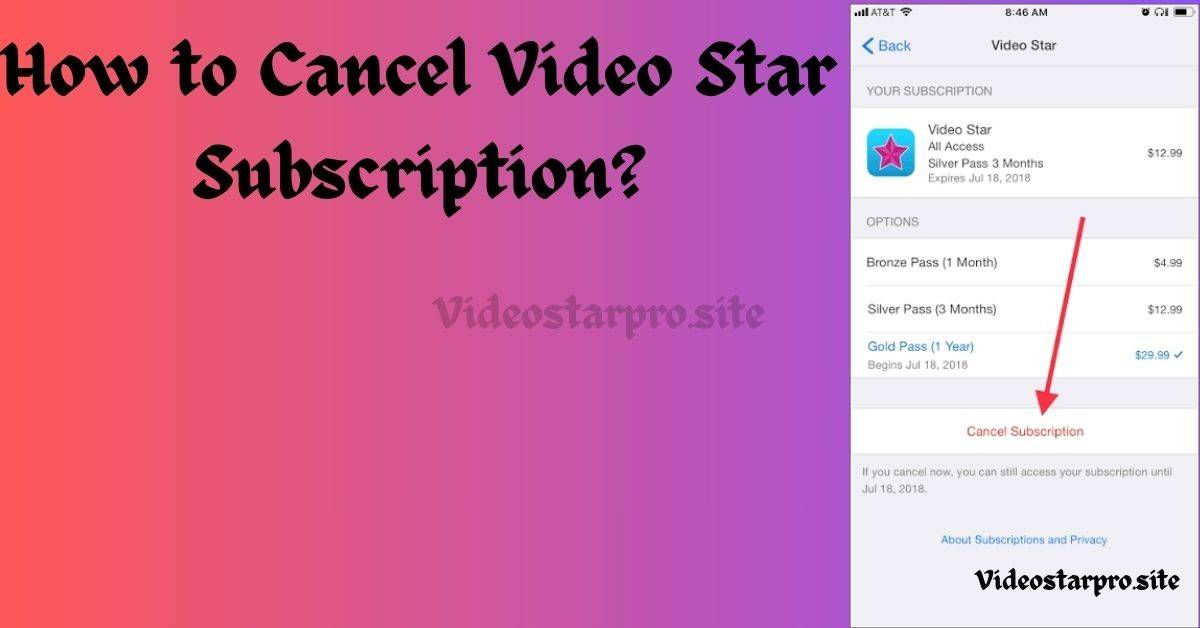
To cancel the pro subscription, simply follow the given step below.
- Step 1 – Open the settings on iphone and tap on the Apple ID or your name (at the top).
- Step 2 – look for the “active subscription”
- Step 3 – Select video star pro from the subscription list
- Step 4 – Tap on “cancel subscription” and confirm it.
You’ve now successfully cancelled the pro subscription and now let’s talk about why you should keen the video star pro.
If you’re looking for the pricing comparison of video star pro packs, check out the other article.
Video Star Pro Features
There are plenty of amazing advance toolset for complex editing that you’ll loose if you cancel the pro subscription of video star. Let’s break it down properly:-
- Velocity & Twixtor-style Editing Features – Custom speed curves and advanced toolset for velocity edits.
- All Advance Pro Packs Access – Unlimited packs or filters.
- Pro level Multi-Layering
- Custom Masking & Coloring – Smooth masking and coloring features.
- No watermarks – No watermarking issue with the pro version, the edits belongs to you only.
Comparison: Pro vs Free – Which one is better?
1- All Packs ( Effects & Filters) –
- Pro Version – Full access
- Free Version – Restricted (have to buy individually otherwise)
2 – Velocity edits –
- Pro version – Custom curves available
- Free version – Only Basic movement available
3 – Multi-layer Toolset –
- Pro version – Complete access
- Free version – Limited access
4 – Watermark –
- Pro version – No watermark
- Free version – Watermark on exports
5 – Quality while exporting –
- Pro version – Highest resolution as per your need
- Free version – Standard Resolution available
When did video star come out?
Video star app was launched on September 28, 2011 in the United States of America. It was exclusively available for iOS devices, designed by frontier design group.
Does video star cost money?
Yes, it does cost money to avail the access to its premium features which includes power packs, advanced toolset and watermark free smooth exports.
Can you get video star on pc?
No, video star is exclusively available for iOS devices ( iPad, iPhone & iPod touch).
Conclusion
Now, I’ve done my part, explaining all the reasons why you should keep it. However, if you only use video star pro for basic edits and that too occasionally, you may cancel the pro subscription while sticking with the free version.
2 thoughts on “How to Cancel Video Star Subscription in 2026”